


Syndigo MCP SErver
Find a product, see what a retailer receives, and fix gaps against that retailer’s requirements—all from Microsoft Copilot, Claude, ChatGPT, or another MCP-compatible assistant. Use your existing Syndigo API credentials, with nothing saved until you confirm.
Parlez à notre équipe
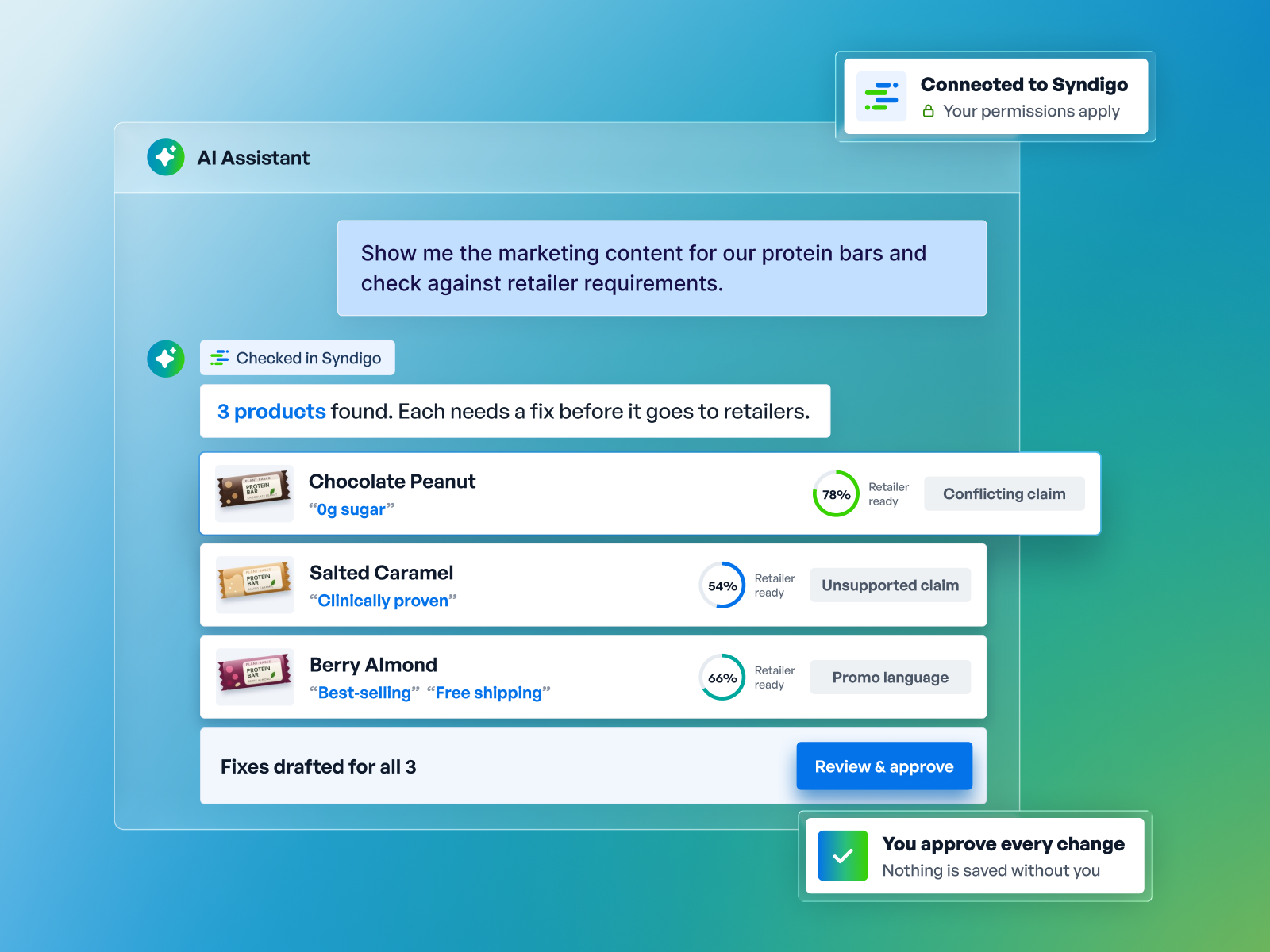

Work in the assistant you already use.
Use Syndigo from your team’s AI assistant or your own custom agent. You ask the assistant; your product data and experience management stay in Syndigo.

Approve every single change.
The assistant only sees and does what your Syndigo account allows. You review each change before it’s saved, and every update is recorded.

Cover everything from supply chain to shopper.
Syndigo PX Cloud brings product data and syndication together. Manage the details behind your products, create shopper-facing content, and see what’s working to help your products get chosen.

Tap into a network built for commerce.
15,000+ supplier brands and 3,500+ retailers, distributors and platforms – plus the world’s largest GS1-certified GDSN data pool.


Connecting an assistant to a product record is the easy part. Knowing what it takes to make that product retailer-ready is what matters. Syndigo’s MCP Server gives your assistant the product plus each retailer’s requirements: required fields, a completeness score and issues blocking publication. Your assistant can explain what’s needed, fix the gaps once you confirm and check again, all in one conversation.
Model Context Protocol (MCP) connects compatible AI assistants to support read and write tools in Syndigo PIM and Syndication. Ask in everyday language, and the assistant uses the tools enabled for your account. Existing access permissions and approval controls still apply.
Microsoft Copilot, Claude, ChatGPT, or any MCP-compatible agent
Read and write tools for PIM and Syndication, using your Syndigo permissions
PIM and Syndication, connected to 3,500+ retailers, distributors and platforms

Start with a product you know. Find it, see what a retailer receives, check it against that retailer’s requirements and fix the gaps, all in one conversation before launch.
“Show me the marketing content for X product.”
Look up a product by GTIN, brand or product name and read the full record, with field names in plain language.
“Create a product from these details and draft its description.”
Build a record in Syndigo PIM from supplied information and develop product copy grounded in those details, saved only after you approve it.
“What does Walmart receive for this product?”
See only the fields that retailer asks for, so you know exactly what it gets from you.
“Check this product against Walmart requirements and tell me what to fix.”
See how complete a product is for a specific retailer and which issues block publishing. Then approve the fixes and re-check to confirm the gaps are closed.

Review the issues and the proposed fix before anything is saved.
Nothing is saved until you approve it. Your existing Syndigo account and role determine what the assistant can see and do.
Re-check the product to see its updated completeness score and which issues remain.
Available now for Syndigo PIM, MDM and Syndication customers. Connect with the Syndigo API credentials you already use, with no new credentials to request.

There are two ways to connect. Already using the Syndigo API? You’ll need three things: your Syndigo API username and secret key (under My Account > API Settings in the Syndigo platform), products already set up for the retailer you want to check, and an AI assistant that supports MCP. Add the connection using the setup guide, then start with a simple question about a product you know. New to the Syndigo API, or want help? Your account team can set up API access, help your team connect, and answer your security team’s questions.
Microsoft Copilot, Claude, ChatGPT or another MCP-compatible assistant or custom agent. You choose where your team works; Syndigo remains the system where your product information is managed.
In your AI assistant. Syndigo MCP gives that assistant access to supported Syndigo data and actions; it doesn’t do the reasoning itself. Your organization’s AI policies continue to apply to the assistant you choose.
No. Your permissions, entitlements and enabled tools determine MCP access; it does not create a separate security model. Draft-versus-published visibility follows the access controls configured in Syndigo. Broader GDSN, supply-chain and shopper-content capabilities describe the platform foundation—not a promise that every capability is exposed through MCP.
No. A readiness check identifies issues before syndication; it is not confirmation that a product has been published or accepted by a retailer. Confirm available publishing actions with your account team.
Confirm supported operations and volume limits before planning these workflows. Do not assume that a platform feature is available through MCP; large-volume transfers may be better served by an API.


